
Builder
Make a printable communication board for an adult
Pick a template, change any square, add a photo from your device, and print at true size on Letter or A4. A low-tech communication aid you can hand to someone today: point to a picture; your helper says it out loud.
Free, with no account. Pick a template, change what you need, and print it today.
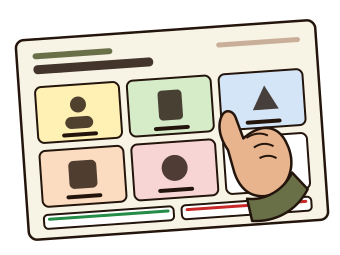
Templates
Start from a board that is already made
Every template follows the look of Communication Boards for Adults. Open one and change what you need.
How it prints
True size
The board on the screen is the board on paper. Letter or A4, landscape or portrait, with the same millimetres in both.
From the browser or as a PDF
Print straight from the browser for free. Download a PDF at exact size with Pro, or once a day with the free day pass.
Nothing is uploaded
Boards, words and photos stay in your browser on your device. Save a backup file to keep a board safe or move it to another device.
Make a board for the person in front of you
Their words, their pictures, their photos. Free, and nothing leaves your device.
About the Communication Board Maker
Someone who cannot speak well enough to be understood right now still has things to say: the pain is in my back, I want my glasses, call my daughter, not yet. After a stroke with aphasia, in intensive care with a breathing tube, living with dementia or ALS, or with a temporary loss of speech, the words may not come, but pointing still works. A communication board is a printed page of pictures and words to point at, and the helper says the chosen word out loud.
The Communication Board Maker builds that page for the person in front of you. Pick a template, change any square's picture, word and colour, add a second language or a photo from your device, and print at true size on Letter or A4. The boards follow the look of the book Communication Boards for Adults, with large print, plain pictures and Yes and No on every page. Everything you build stays in your browser on your device.
What a board helps with
- Pointing to communicate
- A need, a feeling or a question becomes one touch on a square. The helper reads the word out loud, which keeps the conversation moving even when speech is gone.
- Yes and no
- The strip along the bottom of every board gives the person a way to confirm, refuse or say not yet, so a wrong guess can be corrected at once.
- Spelling
- The alphabet and E-Tran boards let a person who can spell point to letters, with a helper writing them down, or a partner reading eye gaze through the board's open centre.
How the board maker works
Ten templates come with the board maker: a quick board, a hospital bedside board, four big choices for intensive care, a pain board, aphasia core words, two alphabets, an E-Tran letter board, a large-print dementia day board, and a blank board. Each one opens in the Studio on a sheet of paper at true size, where every square can be changed: tap it to change the word, pick another picture from a catalogue of about five thousand (the book's own pictures, Mulberry Symbols and OpenMoji), take or choose a photo, or make it words only. The grid runs from one square to eight by six, and drag one square onto another to swap them.
Printing is from the browser or as a PDF, with the page size set for you so a print at 100% is the board at true size. Boards save as you work, in your browser on this device, and a backup file moves a board to another device. Large print, every template, every picture set and photos are free, with no account. A second language under every word, high contrast and the mirrored E-Tran page are Pro print options, and the PDF download is Pro; a free account gets one print or PDF a day with them. Nothing about the person using the board is sent anywhere.
Screen or paper?
A board is paper by nature: it goes on the tray table, the bed rail or the wall, and it works when the tablet is charging. The board maker is for the board the book does not have, with the person's own people, places and words. The book is the ready-made set: 112 boards across essentials, hospital and care, daily living, conversation and make-it-yours pages, with four of its boards free to download.
The printable version is the Communication Boards for Adults (112 boards) on rehabworksheets.com, and there is a free starter set to try first, with no email required.
What this is, and what it is not
A board made here is a communication support aid, not a medical device, and not a substitute for assessment by a speech-language pathologist. It is designed to support everyday communication between a person and their helpers.
Using it well
- Put on glasses and hearing aids. Before anything else. A board that cannot be seen or a question that cannot be heard is the most common reason pointing fails.
- Say the title out loud. Then wait. Name the board, give the person time to look, and let them point before offering choices.
- Confirm with Yes and No. Say the word they pointed to out loud and check it with the strip at the bottom. A quick no saves a long misunderstanding.
- Laminate it or use a sheet protector. A board on a ward or at a dining table gets wiped, splashed and folded. A laminated copy or a sheet protector keeps it readable for weeks.
- Keep it where the hand can reach. On the tray table, clipped to the bed rail or taped to the wall at eye level, not in a drawer. The board only works when it is there.
Common questions
What is a communication board?
A printed page of pictures and words that a person points to when speaking is hard. The helper says the chosen word out loud and confirms with Yes or No. It is low-tech on purpose: no battery, nothing to learn, and it works in a hospital bed, at a kitchen table or in a car.
Is there a communication board for stroke patients?
Yes. The quick board and the hospital bedside board cover the first days after a stroke, and the aphasia core words board gives a person with aphasia a small set of words that carry most everyday messages. Every square can be changed for the person's own needs.
Which board works in hospital or intensive care?
The hospital bedside board puts people, needs, comfort, pain and things on one page with Yes and No. For someone very unwell or breathing with a tube, the four big choices board has only pain, bathroom, water and nurse, at the largest size the page allows. The pain board adds what the pain is like, where it is and a 0 to 10 row.
What about aphasia?
The aphasia core words board uses the Fitzgerald colours and a dozen core words with people and places, in English, French or Spanish. Pictures and words together suit many people with aphasia better than words alone, and a photo of a real person or place is often the clearest square of all.
Can I add my own photos?
Yes. Take a photo or choose one from your phone, tablet or computer and put it on any square. The photo is resized in your browser and stored on your device. It is never uploaded, and it is embedded in the PDF on your device too.
Is the board maker free?
Yes. Every template, every picture, your own photos, large print and printing from the browser are free, with no account. Sign in (free) to download a PDF, which a free account can do once a day with the Pro options on; Pro makes PDFs and the print options unlimited and drops the footer line. The ten template boards are also free PDFs on their own pages.
A communication support aid, not a medical device, and not a substitute for assessment by a speech-language pathologist.
Boards made here are designed to support everyday communication between a person and their helpers.
A communication support aid, not a medical device, and not a substitute for assessment by a speech-language pathologist.